Skip to content
AI macros are included in every seat

Busy months
don't cost extra.

The email and chat help desk for teams of 3 to 15, with AI answers included. When the AI hits its limit, it stops. It never bills you more.

Free for 14 daysNo card neededCancel any time

A small team working side by side on laptops around one table
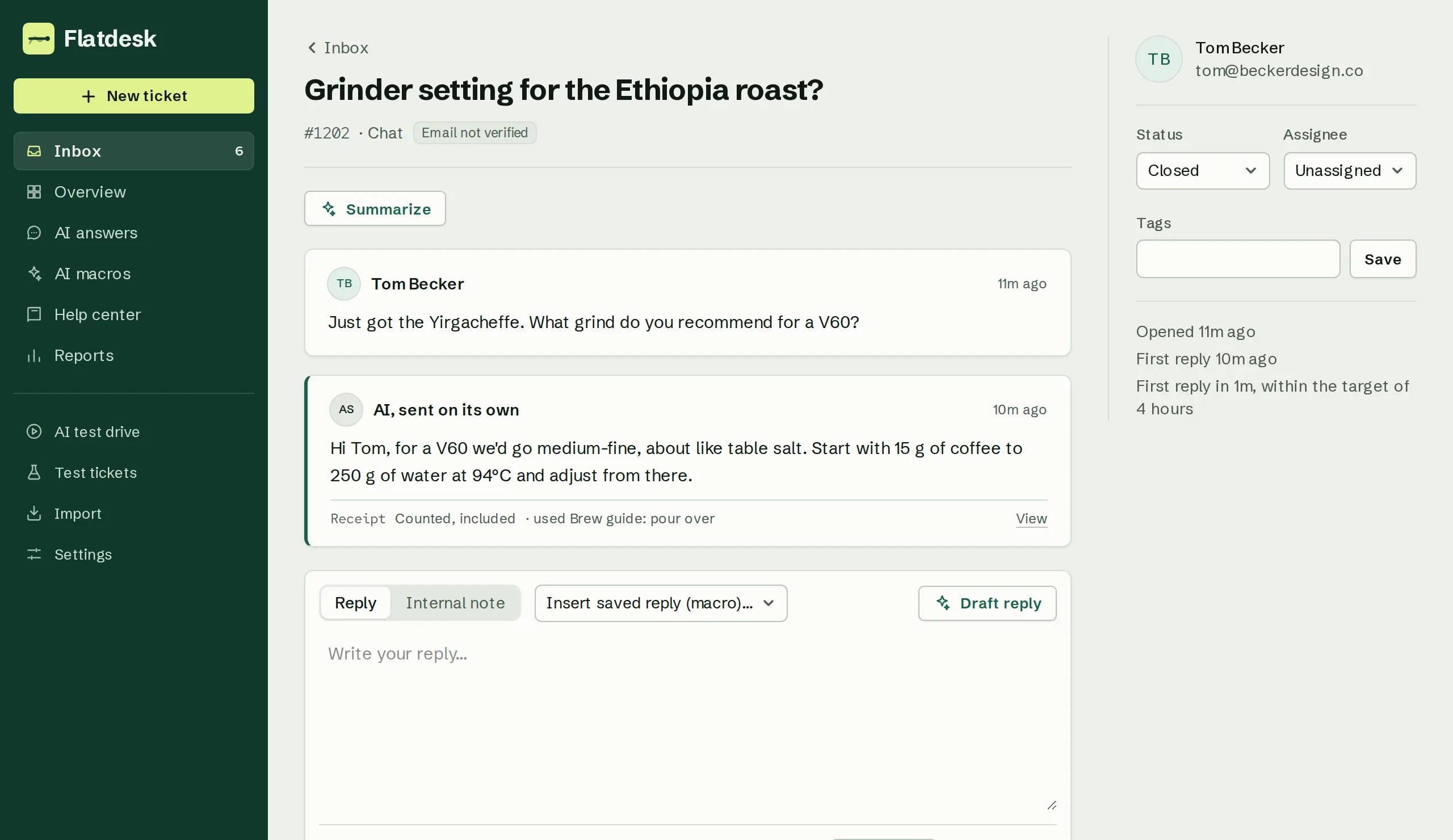
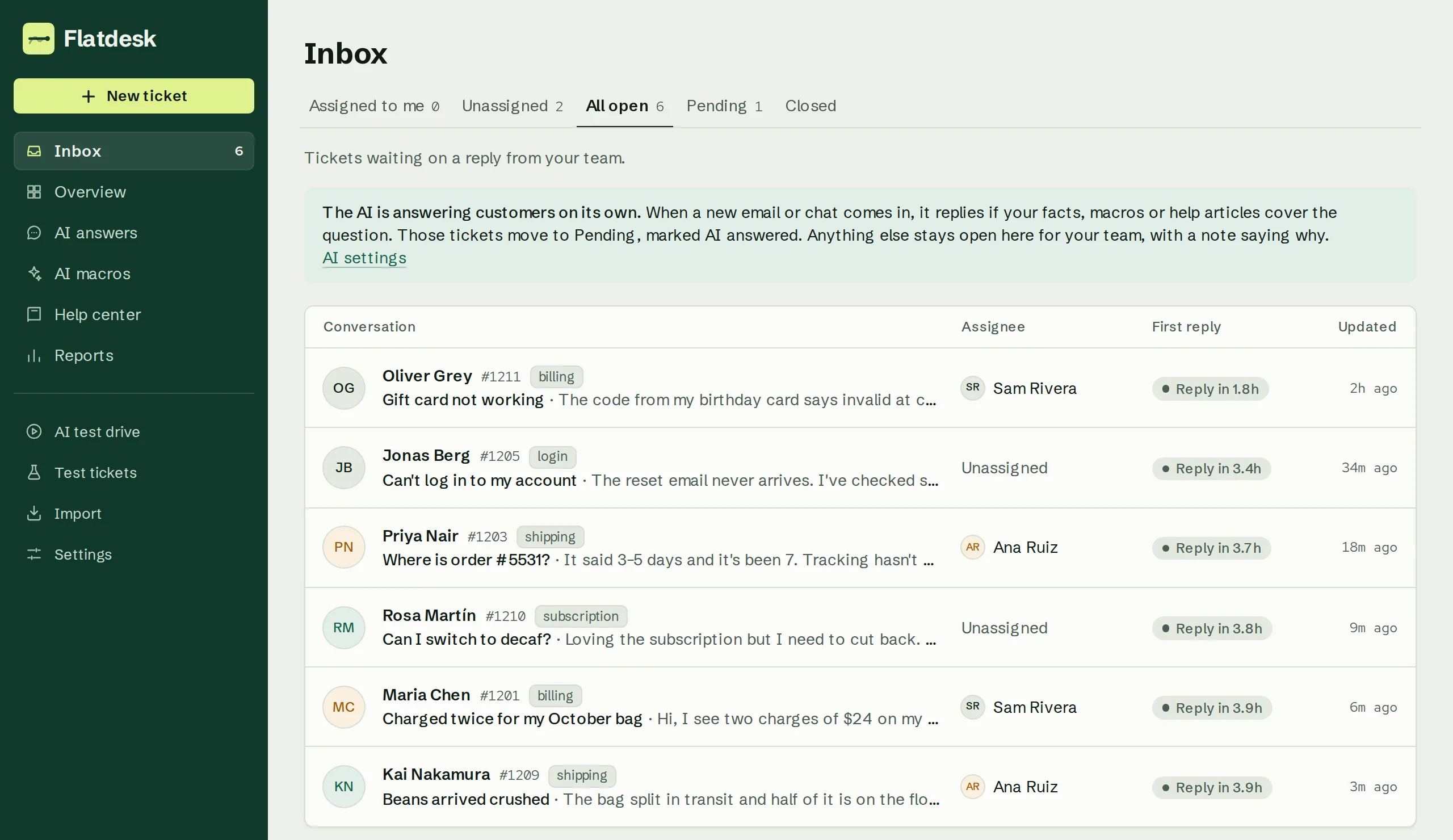
The Flatdesk inbox with open conversations, owners and an AI answered label

Watch a month get busy. The bill doesn't move.

This is the real inbox with sample data. Tickets climb and the AI answers some of them, while the bill beside it stays the same.

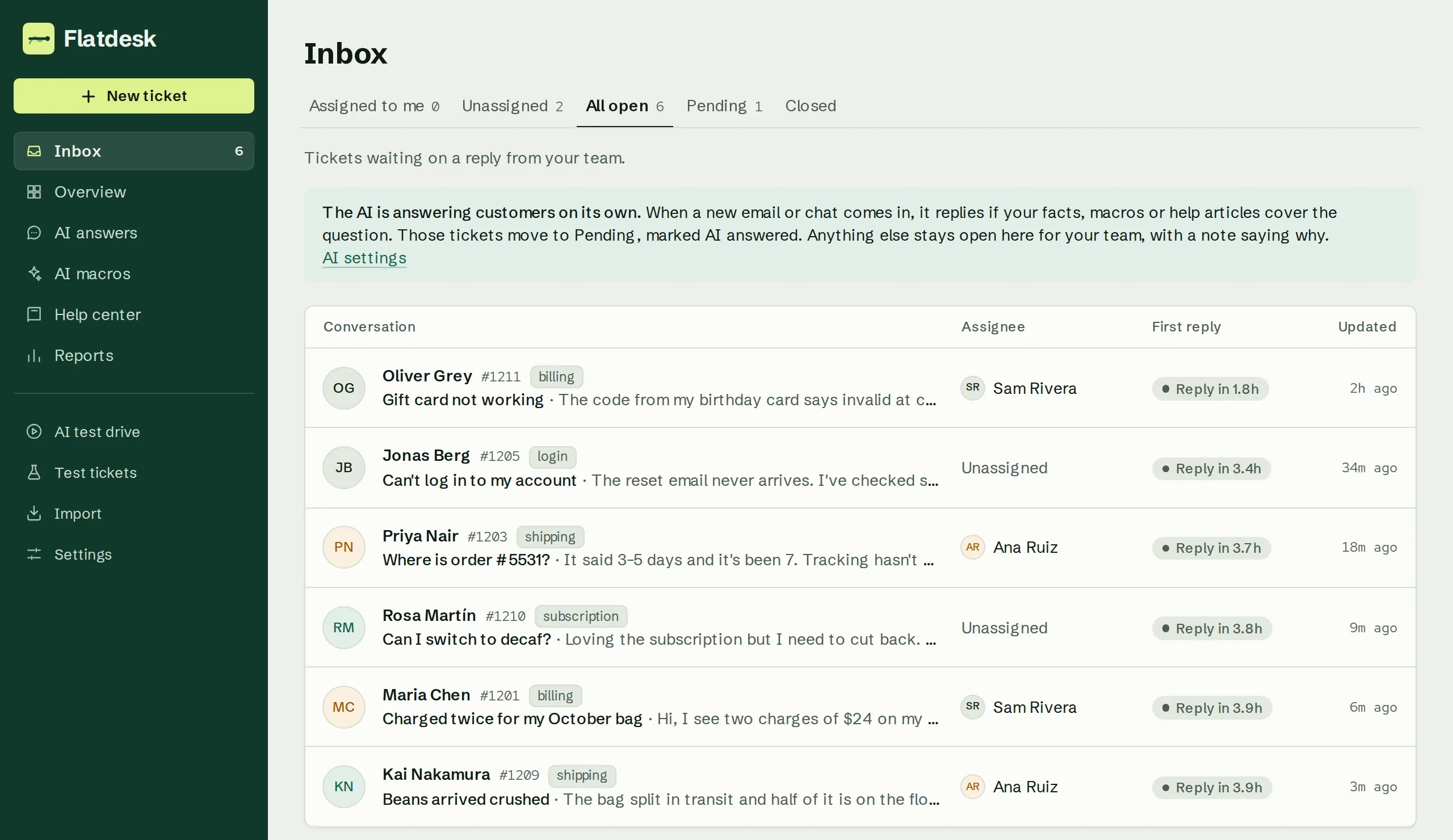
The Flatdesk inbox: six open conversations from email and chat, each with its customer, tags, assignee and first-reply target.
Flatdesk's inbox, with sample data.
Tickets this month
1,184
AI answers
216 of 400
Your bill
$196

4 agents × $49. Same amount however busy the month gets.

AI answers

The AI answers. You never pay per reply.

It reads your help center and website, answers customers on its own, and hands anything uncertain to a person with the context attached. Every answer leaves a receipt you can read.

  • Answers from your articles and site
  • A receipt for every answer, with its sources
  • Pauses at the cap instead of billing you

See how AI answers work
A support agent at a desk with a laptop and a second monitor
A customer question answered by the AI, with the help articles it used
AI macros

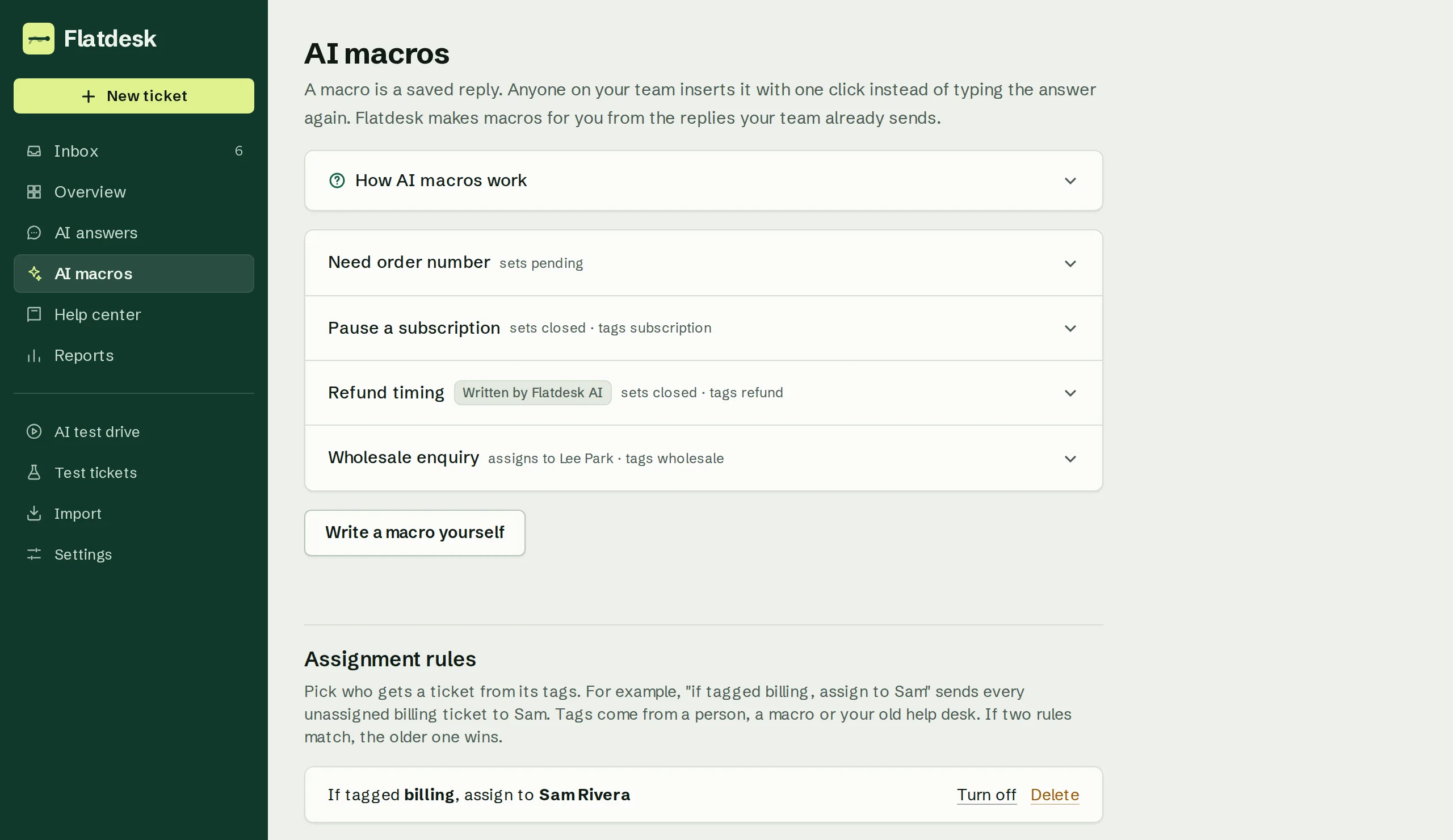
Your best replies, turned into macros.

Flatdesk watches what your team types again and again, drafts the macro, and keeps it current as your answers change. Elsewhere this is a paid add-on.

  • Suggested from your real tickets
  • Updated when your answers change
  • Included in every seat
Explore AI macros
Two teammates review a ticket queue on one screen
AI macros built from the team's own replies, with a count of uses
Run the desk

One inbox, one view of how it's going.

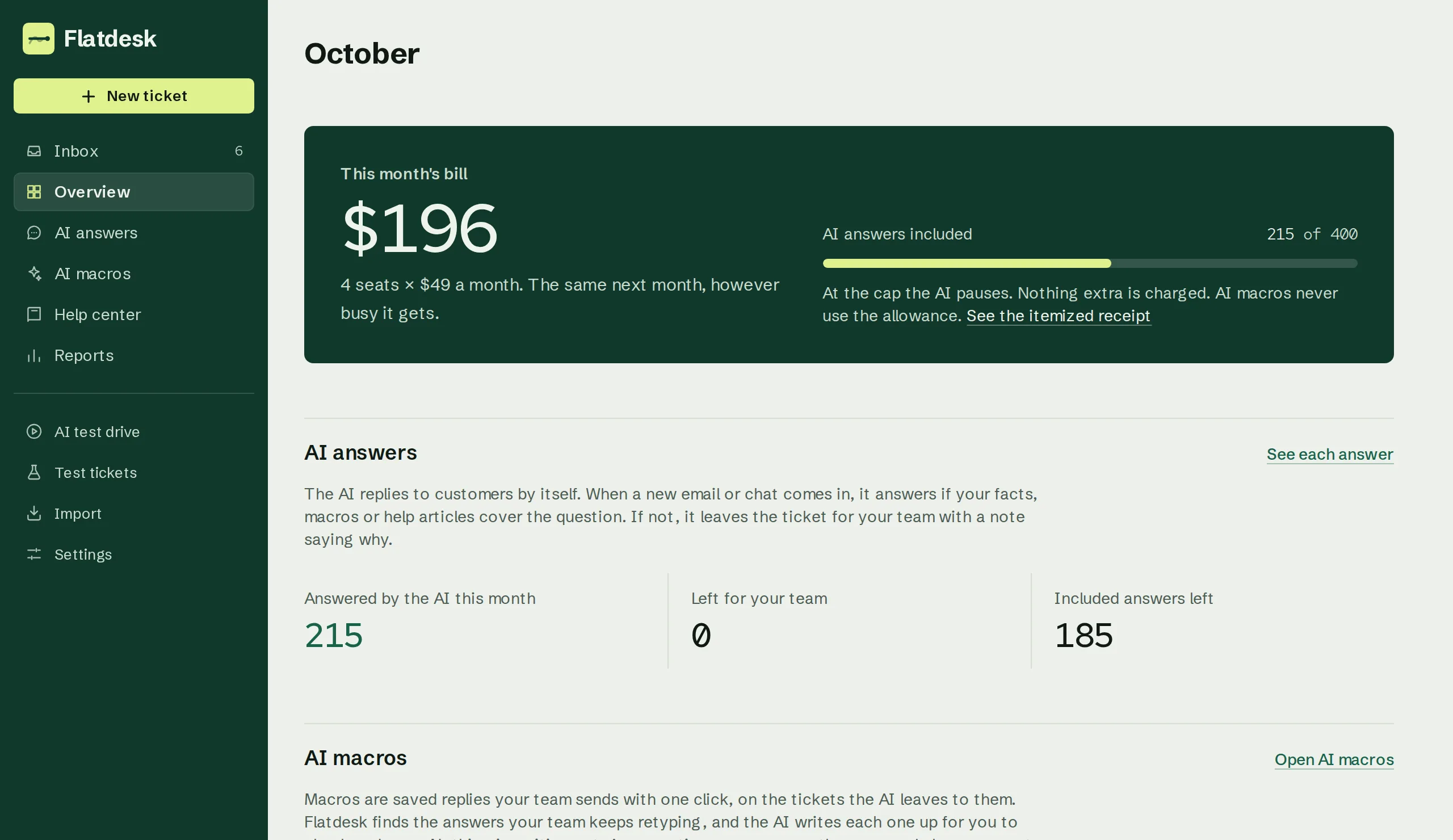
Email and chat land in one queue with routing, targets and saved views. The overview shows response times, what the AI handled and what's waiting on you.

  • Groups, round-robin routing and targets
  • Reports on replies, ratings and AI use
  • Slack alerts when a ticket needs a person
See every feature
Two colleagues high-five over a laptop in a bright office
The Overview page: tickets, response times and AI answers used this month
Flat rate

Priced per agent, not per AI answer.

An AI answer is a reply the AI sends a customer on its own. Pay per answer, and a launch or a holiday rush shows up on your invoice. On Flatdesk the bill depends only on how many agents you have, and the AI pauses at its limit unless an admin says otherwise.

An example month for 4 agents with a launch week. Fin Essential at list price, $29 a seat plus $0.99 per AI answer, against Flatdesk's $39 a seat; both billed yearly. Try your own numbers
Per agent, billed yearly
$39 a month
Per agent, month to month
$49 a month
AI answers
100 per seat, pooled
At the cap
AI pauses
Overage, only if turned on
$0.40 each
Tiers and add-ons
None

See pricingHow this much fits in one seat

Put in your own team and see both bills.

Pick the help desk you use now, your number of agents and how many AI answers you'd expect a month. It uses each vendor's list prices, and it says so when the other tool comes out cheaper.

Open the full calculator
Your bill, side by sideSet it to your team. Same month, list prices.
You use
Agents
5
300

Zendesk Suite Team

5 × $55 seats
$275
50 AI included
$0
250 AI × $1.50
$375
A month
$650

Flatdesk

5 × $39 seats
$195
AI, 300 of 500
$0
A month
$195

You'd pay less$5,460 a year

Both billed yearly. Zendesk doesn't publish its AI rate, so this uses third-party reports. Full breakdown and sources

In every seat

Every feature, in every seat.

There's one plan, and every agent gets every feature. Short animations show what each part does, with sample data.

The AI replies to customers on its own, and stops at your limit.

It answers email and chat from your macros, help articles and the facts you give it. When it isn't sure, it hands the ticket to your team. Each agent adds 100 AI answers a month to a shared pool.

Try it on 50 past tickets first

Made for small support teams, and clear about the rest.

A good fit if you

  • Have 3 to 15 people answering email and website chat
  • Want AI answers without paying for each one
  • Keep typing the same replies and want macros made for you
  • Use Zendesk, Intercom, Freshdesk or Help Scout and want to bring your old tickets

Look elsewhere if you need

  • Phone, SMS, WhatsApp and social channels
  • An app marketplace
  • Periodic-update SLA timers (first-reply, next-reply and resolution targets are built in)
  • Editing Shopify orders, or refunding orders that already shipped (the AI cancels and refunds unshipped ones)
Where other help desks are ahead

Switch from Zendesk or Intercom in four steps.

One admin can do all four steps. The AI can't reply to a customer until you forward your email or add the chat widget, and you can switch it off before that.

  1. Step 1Import your historyPaste an API key from Zendesk, Intercom, Freshdesk or Help Scout. Tickets come over with full threads, plus customers, macros and tags. From Zendesk, help center articles come too. Triggers and automations that tag, assign, set status or email the customer keep working. Other rules are copied for reference. You can turn the AI off before importing, so nothing goes to it until you say.
  2. Step 2Connect email and chatForward your support email and add one line of code to your site for chat. Add a few DNS records and replies go out from your own address. You can stop forwarding any time.
  3. Step 3Test drive the AIThe AI drafts replies to the last 50 tickets your team answered, next to what your team sent. Customers see none of it.
  4. Step 4Turn it onTurn on AI answers, invite your team, and cancel your old help desk when you're ready.

Nothing gets dropped in the import.

Each ticket keeps its original record, and a report lists anything Flatdesk couldn't match. You can download the raw data. Running the import again won't create duplicates.

How the import works

Free tools for support teams

Calculators and generators you can use without an account.

All free tools
A quiet shared office with a long desk and tall windows

Try it on your own tickets first.

Import your old tickets and see AI drafts for the last 50 your team answered, next to your team's replies. Free for 14 days, no card needed.

Moving a small team off Zendesk or Freshdesk?Apply to be a design partner. You get half off, and we run the import for you.

A few teams get 50% off monthly billing for 12 months ($24.50 per agent), and we run the import for them. The discount replaces the yearly price. It doesn't stack with it.